Google's Connected Apps Platform: Should a B2B SaaS Company Build an App for Search and Gemini?
Google opened a preview for apps inside Search and Gemini on October 28. Here is what it takes and a checklist for deciding.

- Desk
- AI Search
- Format
- Feature
- Reading time
- 7 min
- Published
- Oct 29, 2026
Google's Connected Apps Platform, announced October 28, 2026, lets developers build apps that run inside Google Search and the Gemini app. For most B2B SaaS companies, the right move today is to apply for the preview only if customers already ask for in-assistant actions, and otherwise to prepare their documentation, sign-in and API first.
This article is for SaaS marketers, product managers and founders deciding whether this new channel deserves a sprint. It explains what Google announced, how users reach an app, what is still unknown, and a checklist for deciding. Cekpr covers SEO and AI search for software companies, so we focus on visibility and measurement rather than hype.
What Google announced on October 28

Google describes the platform in its launch post as "a unified way for more app developers to bring their capabilities directly into Gemini and Search." It says more than 50 Connected Apps already exist across the two products, spanning productivity, event ticketing, health and fitness.
Adobe, Experian, Localiza and Peloton are live in Gemini and are due in Search in the coming weeks, according to the same post. Google also says a Calm integration will launch in both. Before review, a developer chooses whether the app goes live in Search, in the Gemini app, or in both.
Search Engine Roundtable summarized the launch in its report on the Connected Apps Platform and noted that building an app does not guarantee that searchers will see it. Users must add the app to their personalized Search settings first.
How does a Connected App work in Google Search?
A Connected App lets a person complete a task inside Google's AI experience by linking their account on your service. The user asks for something in AI Mode, Google offers a matching app, the user links their account once, and the app takes the action or returns data.
Google's support page on connected apps gives the current examples. Instacart builds grocery carts, Canva creates designs, YouTube Music builds playlists, and fantasy sports apps give team advice. The feature works in AI Mode in the United States, in English, and availability varies by device.
Users can see and remove linked apps in their Google Account under linked apps. Removing an app stops the sharing of account data. That means your app depends on a user's choice, and that choice can be undone at any time.
What it takes to build one
Google's developer page for Connected Apps lists two integration paths. The first is a cloud-hosted Model Context Protocol (MCP) server, which exposes tools and authorized data. The second is Android MCP, which uses Android's AppFunctions so an app can share functions with assistants on the device.
The page also points to an OAuth 2.1 guide for authorizing Gemini to act on a user's behalf. During the preview, a tool called the Connected Console handles onboarding, tool registration, usage analysis and the review process. Developers apply for the preview through a form.
The launch post adds that developers keep control of brand identity, including verified logos and authenticated accounts, and can track traffic, latency and error rates after launch. The pages we read do not list eligibility rules, review criteria or a timeline, so plan for uncertainty.
Should a B2B SaaS company build one now?

Most should wait, with two exceptions. If your product has a clear, repeatable task a user would ask an assistant to do, such as booking, ordering, scheduling or retrieving a report, a pilot may be worthwhile. If a competitor is already live, the cost of waiting rises.
The early examples are consumer services with simple actions and high intent. Group collaboration, finance and HR tools are harder, because they involve permissions, audit trails and multiple users. A SaaS company also faces a trust question: will a finance admin let an assistant act on a ledger?
Use a short scoring checklist before you commit engineering time. Give each item a yes or no:
- Is there one task that takes a customer under two minutes in your product?
- Do customers already ask for assistant or API access to it?
- Is your API stable, documented and secured with OAuth?
- Could a wrong action cause harm, and can you limit it?
- Do you have an owner for monitoring errors and support?
Four or five yes answers suggest a pilot. Two or fewer suggest waiting. The point of the checklist is to force a decision based on facts, not on fear of missing out.
What this means for SEO and AI search teams
Connected Apps are not a ranking factor, and Google has not said they affect how your site appears in results. They are a separate surface where your product could be used without a click to your site. Treat them as a distribution channel, not as an SEO tactic.
The related question is how Google uses links and sources inside AI Mode. Our post on Google's AI Mode inline links update explains how official pages are shown, and that work still matters more for most companies than an app.
Keep your content basics strong. Our guide to where AI answers get their sources for B2B software shows that brand-owned pages earn a small share of citations, which is a reason to keep your docs and pricing pages clear and current regardless of apps.
How to prepare without building yet

You can do useful groundwork in a few weeks and spend little. Audit your public API and documentation, and fix gaps. Confirm that sign-in supports OAuth with clear scopes. Write plain descriptions of the five tasks users do most, because a tool description is also content.
Make a list of the actions that should never be automated. Deleting data, changing billing and inviting users are common examples. Decide what level of confirmation each action needs. Writing these rules now will save a security review later.
Set up measurement. Decide how you will tell whether an app helps: new accounts from assistant sessions, tasks completed, error rates and support tickets. Google says the Connected Console reports traffic, latency and error rates, so you will need your own numbers for revenue and retention.
Finally, watch the visibility side. Our post on reading Bing's AI performance report shows how to track citations in another engine, and the same discipline will apply to any new Google surface.
Questions to put to your team and to Google
Write your questions down before you apply, so that the preview answers them instead of surprising you. Some belong to your team and some belong to Google's developer contacts.
Questions for your team: Which customers asked for assistant access, and what did they want to do? Who owns the integration after launch? What is the maximum action an assistant may take without a human confirming it? How will you pull the app out if it misbehaves?
Questions for Google: What are the eligibility rules and review criteria? How long does review take? Are there categories where B2B tools are welcome? How are apps ranked or suggested when a user makes a general request? What data does the console give you about drop-off between suggestion and link?
If answers are slow or vague, that is information as well. A channel with no published rules is hard to plan around. Record each answer with a date, and share the notes with your leadership so the decision is based on what Google has actually said.
Risks to weigh
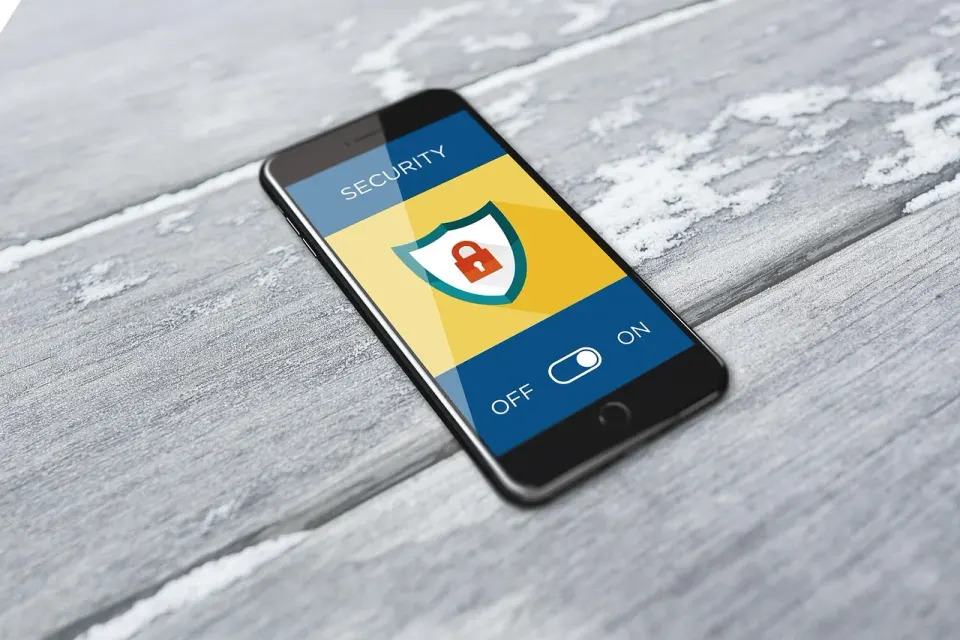
The main risks are dependence, security and support. A channel controlled by Google can change terms or placement. An assistant that acts on a customer's account raises the stakes for permissions. And every failed action becomes a support ticket that you own.
There is also a measurement risk. If users complete tasks inside Google, your web analytics will not see them. You may see fewer visits and still gain customers, or the reverse. Without clean tracking, you cannot tell which.
The positive case is real, too. Google calls it a way to "build once and reach high-intent users across both Search and the Gemini app." If your task is simple and your API is solid, the cost of being early can be low and the learning high.
Conclusion
The Connected Apps Platform is a real new surface, but it is early, limited to a preview and shaped around consumer tasks. Most B2B SaaS teams should prepare their API, docs and measurement now and build only when a clear task and a customer demand line up. Applying to the preview is cheap, so it can make sense to join the list while you decide.
Your next step is to run the five-question checklist with your product lead this week. Record the answers and the date, and revisit them when Google publishes eligibility rules. Cekpr will keep following what Google ships for software companies and how it changes the work of getting found.
What is the Google Connected Apps Platform?
How does a user find a Connected App in Google Search?
What does it take to build a Connected App?
Do Connected Apps help SaaS rankings?
 Up next · AI Search AI Overviews Now Appear on 83% of Branded Searches: How a SaaS Brand Should Audit Its Results
 Keep reading
All posts → AI Search Google's Preferred Sources Button: Should a B2B SaaS Site Add It? Google lets readers pick preferred sources and gives sites an embeddable button. For a B2B SaaS blog, the value depends on whether you appear in Top Stories or AI answers at all. Owen Mercer 7 min
  AI Search What SISTRIX's 96,418-URL Study Means for SaaS Page Structure and AI Citations A new SISTRIX study compared cited and uncited pages from the same domains. Here is which structure tactics held up, which did nothing and what a B2B software team should change. Molly Ashcroft 7 min
  AI Search How to Track Gemini Referral Traffic in GA4 After Google Added UTM Tags Gemini links now carry undocumented UTM tags, and GA4 sorts them by rules you can read. Here is how to test where your Gemini visits really land before you report them. Owen Mercer 7 min
 join the club.
The week's best SEO and AI search posts, plus one thing to check in your own Search Console, every Thursday morning. Unsubscribe whenever.