Sitemap.xml and RSS for AI Crawlers: What Mueller Said and What a SaaS Site Should Do
Google's John Mueller says AI training crawlers usually have no way to submit a sitemap. Here is how to make a SaaS site easy for them to find, and how to check your logs.
- Desk
- Technical SEO
- Format
- How-to
- Reading time
- 8 min
- Published
- Oct 28, 2026
Set up a default sitemap.xml at your site root, list it in robots.txt, and publish an RSS feed linked from your page head. Google's John Mueller said AI training crawlers usually have no console where you can submit a sitemap, so a predictable file name and a discoverable feed are the practical way to be found.
Mueller made the remarks on the October 1, 2026 episode of Google's Search Off the Record podcast, titled "Do sitemaps still matter?", as reported by Search Engine Journal. He added that he has seen AI crawlers request his own sitemap and RSS files in his server logs. He did not name the crawlers, and he did not say what the companies do with the files.
This guide is for B2B SaaS marketers and the engineers who support them. It covers what to build, what to leave alone and how to read your own logs to see who is asking. Cekpr covers SEO, AI search and content marketing for B2B software. The advice below follows Google's and the sitemap protocol's documentation, plus what Mueller actually said.
What Exactly Did Mueller Say About Sitemaps and AI Crawlers?

He made four points. First, AI training crawlers "usually don't have any kind of a Console or any setup where you can submit a sitemap file." Second, sites that want AI systems to find their content can use the generic name sitemap.xml or focus on RSS feeds. Third, feeds are easier to discover because they are usually linked from a page's HTML head. Fourth, a Sitemap line in robots.txt is independent of user-agent rules, so it is not tied to one crawler.
The caveats matter as much as the advice. Mueller was describing what he sees in his own logs. He was not describing a specification, and he did not say any company uses these files for ranking or citation. A request for your sitemap proves a crawler is curious, not that your pages will appear in an answer.
Treat this as a low-cost hygiene step. A clean sitemap and a feed help Google and Bing as well, so the work pays off whichever way AI crawlers behave.
How Do You Set Up a Default Sitemap.xml for a SaaS Site?
Serve the file at https://yourdomain.com/sitemap.xml, list only canonical, indexable URLs, and keep each file under the protocol limits. According to the sitemaps.org protocol, a single sitemap can hold at most 50,000 URLs and 50 MB uncompressed. Larger sites use a sitemap index that points to several files.
Work through this checklist in order.
- Generate the sitemap from your CMS or build step, not by hand, so it updates when pages do.
- Include only URLs that return 200 and are meant to be indexed. Leave out redirects, noindex pages and parameter duplicates.
- Set lastmod to the date the page content actually changed, not the date the file was generated.
- Keep every URL on the same protocol and host as the sitemap.
- Add a line to robots.txt in the form Sitemap: https://yourdomain.com/sitemap.xml.
- Test the file by opening it in a browser and checking the status code.
The lastmod rule trips up many sites. If your build tool stamps every URL with today's date, crawlers learn to ignore the field. Google's own sitemap overview says most sites benefit from a sitemap, and that sites of roughly 500 pages or fewer with good internal linking may not need one. A SaaS blog with a few hundred pages can still use one as a clean index.
Why Does an RSS Feed Help With AI Crawler Discovery?
A feed gives crawlers a short, fresh list of your newest content in a format built for machines. It also has a discovery advantage: you can advertise it in the head of every page with a link element, so any crawler that loads a page can find it without being told where to look.
Set up one feed for your blog and, if you publish them, one for your changelog or release notes. Include the full URL, title, publication date and a short summary for each item. Keep the feed to your most recent posts, often the latest 20 to 50, so it stays small and quick to fetch.
The link element belongs in the head of your HTML and uses the type application/rss+xml with the feed's URL. Add it to the shared layout, so every page carries it. Then confirm that the feed returns 200, that item dates are valid and that URLs are absolute.
How Do You Check Your Server Logs for AI Crawler Requests?

Search your access logs for the user-agent names that AI operators publish, then filter to sitemap and feed requests. Common documented examples include GPTBot, ClaudeBot and PerplexityBot. Logs come from your web server, CDN or hosting dashboard, and they are the only direct evidence of who is fetching what.
On a server with plain-text logs, a command like this does the first pass:
grep -E "GPTBot|ClaudeBot|PerplexityBot" access.log | grep -E "sitemap|rss|feed"
Look at three things. Which crawlers fetched the files, how often, and what status codes came back. A steady 200 is healthy. A 403 or 429 means a firewall or rate limit is blocking the request, and you should decide whether that is intended. For the policy side, our robots.txt setup guide for AI crawlers explains which crawlers to allow or block.
Keep a dated note of what you find each quarter. A change in who fetches your files is useful context when you compare it with citation tracking later.
How Should You Organize Sitemaps for a Site With Docs, a Blog and an App?
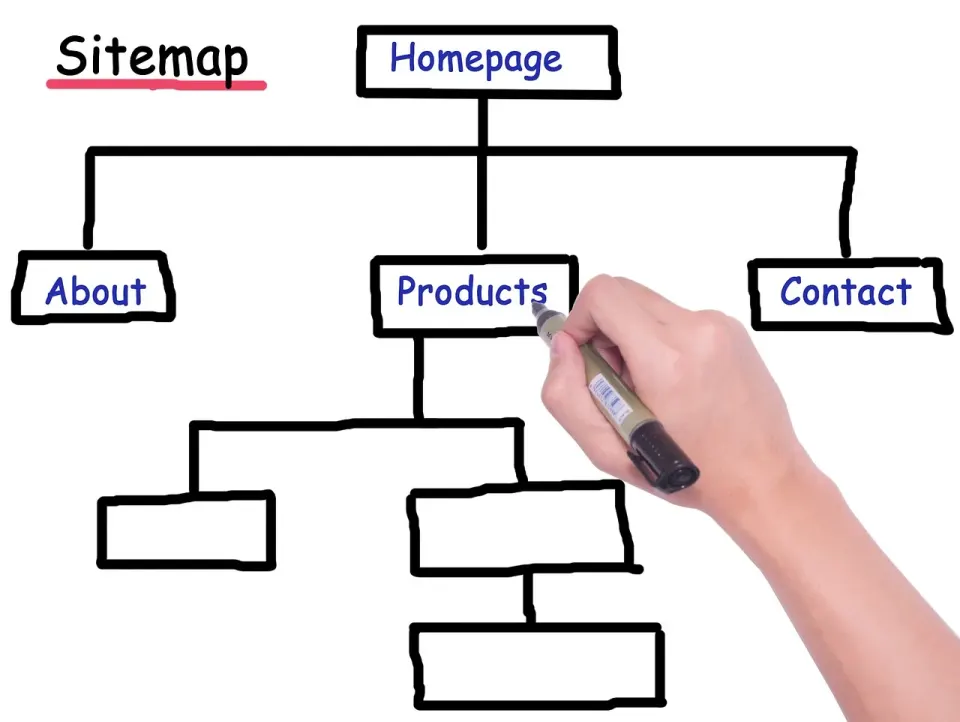
Split them by content type under one sitemap index. A typical B2B SaaS has marketing pages, a blog, documentation and a logged-in app. Only the first three belong in a sitemap, and each can have its own file so you can see changes and errors by section.
A simple layout works well: one file for marketing and product pages, one for blog posts, one for documentation, and an index at /sitemap.xml that lists them. The protocol requires every file in an index to live on the same site as the index. Keep each file's URLs on the same host and protocol as the file itself.
Leave out the app itself, login pages, thank-you pages, internal search results and any URL behind authentication. Those pages waste crawl attention and can expose paths you would rather not advertise. If a section should stay out of search, use noindex or access controls rather than relying on the sitemap's silence.
Finally, give someone ownership. A sitemap breaks quietly when a redesign changes URL patterns, and nobody notices until traffic dips. Add the sitemap and feed to your release checklist, and test them after every deploy that touches routing.
Does a Sitemap Guarantee Google Will Crawl Your New Pages?
No. A sitemap suggests URLs, and Google decides what to crawl. In the same podcast discussion, Mueller explained that "Couldn't fetch" errors on a valid sitemap can come from host load, or from crawl demand. Google may skip a sitemap when it sees no need to crawl much more from the site.
He said crawl demand is very often based on the perceived quality of a website and is not purely a technical matter. That fits what Search Console's help documentation lists as other causes: robots.txt blocks, unresolved manual actions and wrong URLs.
If your sitemap shows "Couldn't fetch," do not resubmit it five times. Check that the URL returns 200 to a normal request, confirm that robots.txt does not block it, and review whether your site has quality issues that reduce crawl demand. If your host is struggling, our guide on reducing Google's crawl rate safely covers the load side.
What About llms.txt and Private Sitemaps?
Mueller compared llms.txt to an HTML sitemap and said Google's systems cannot use it as a sitemap because it lacks the strict format. He said "the hope is bigger than the reality" and that currently none of this happens. He is fine with sites trying it, but he would not rely on it.
That matches our own analysis in whether your SaaS site needs llms.txt. Build the sitemap and feed first. Add an llms.txt only if the effort is trivial for your team, and do not expect it to change crawling.
Some owners want a private sitemap for staging content or an unreleased section. Mueller said you can use an unusual file name, leave it out of robots.txt and submit it directly to Google. The downside is that other systems cannot find it, and Bing would likely need its own submission. For public content, keep the default name.
What Should a SaaS Team Do This Week?
Run a short audit and fix the gaps. At Cekpr, we suggest doing it in this order: confirm the sitemap URL returns 200, confirm robots.txt lists it, confirm a feed exists and is linked from the head, then pull a week of logs and check who fetched what.
Most of this takes under an hour for a site with a standard CMS. The log review takes longer if your logs live in a CDN dashboard, so ask your engineer where they are before you start.
Conclusion
Mueller's comments make one practical point: AI crawlers cannot be told where your content is, so make it easy to guess. Use sitemap.xml, list it in robots.txt, and publish a feed that is linked from your pages. Then read your logs, because they show what is real.
Your next step is to open your robots.txt today and confirm the Sitemap line is there. Then check your feed's status code.
Can I submit a sitemap to ChatGPT or other AI crawlers?
Does a sitemap help my SaaS site get cited in AI answers?
How do I know if AI crawlers are fetching my sitemap?
Should I add an llms.txt file instead of a sitemap?
 Up next · Content Strategy How to Write a URL Slug Policy for a SaaS Blog Using Google's Updated URL Guidance
 Keep reading
All posts → Technical SEO How to Prevent User-Generated Spam on a SaaS Site After Google's October 2026 Guide Update Google updated its user-generated spam guide on October 26 with advice on blocking indexing of link-shared content. Here is how a SaaS team with a community, docs or shared pages can apply it. Grant Whitaker 7 min
  Technical SEO How to Audit a SaaS Site for Chrome's New HTTP Warnings Chrome now asks users before loading an insecure HTTP page. Here is how a B2B software team finds the stray HTTP URLs on its domains, fixes them and keeps them from coming back. Grant Whitaker 7 min
  Technical SEO Which Image Formats Should a SaaS Site Use? What Google Says About JPEG XL Google Images and Discover do not support JPEG XL yet. Here is a practical format plan for product screenshots, icons and blog photos on a B2B software site. Grant Whitaker 7 min
 join the club.
The week's best SEO and AI search posts, plus one thing to check in your own Search Console, every Thursday morning. Unsubscribe whenever.